Qawafal Al Arabia Shopping Centre is a shop in Al Araqi, Ibri, selling original perfumes, Korean skincare, beauty and baby products. In about twelve weeks its website went from a simple product catalogue to a full online shop: accounts, checkout, delivery zones, Google product feeds, and a staff area where the owner adds a product from one phone photo. This is exactly how it was built, with the real tools, hosting and costs, so you can copy the parts that fit your own business.
Where it started, and what it looks like now
The first version, built in August 2026, was a catalogue: products lived in one settings file, and orders went to WhatsApp. It looked fine, but every new product meant editing that file, and nothing was connected to the shop's stock.
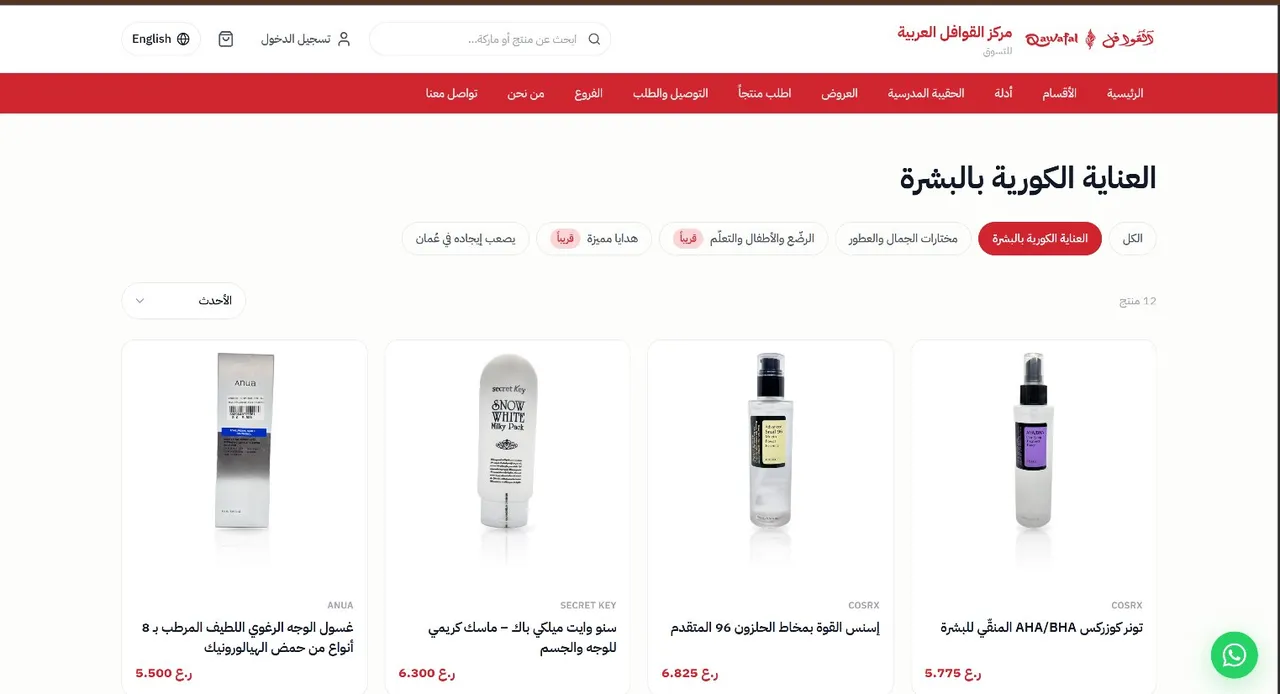
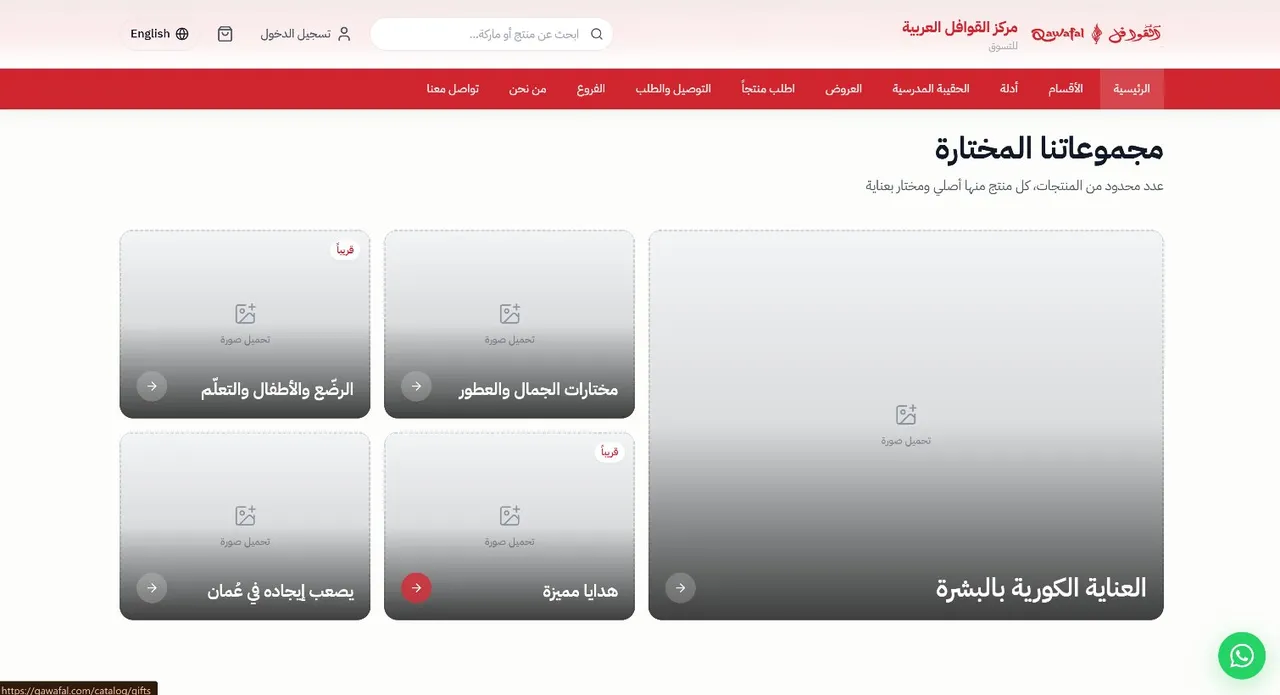
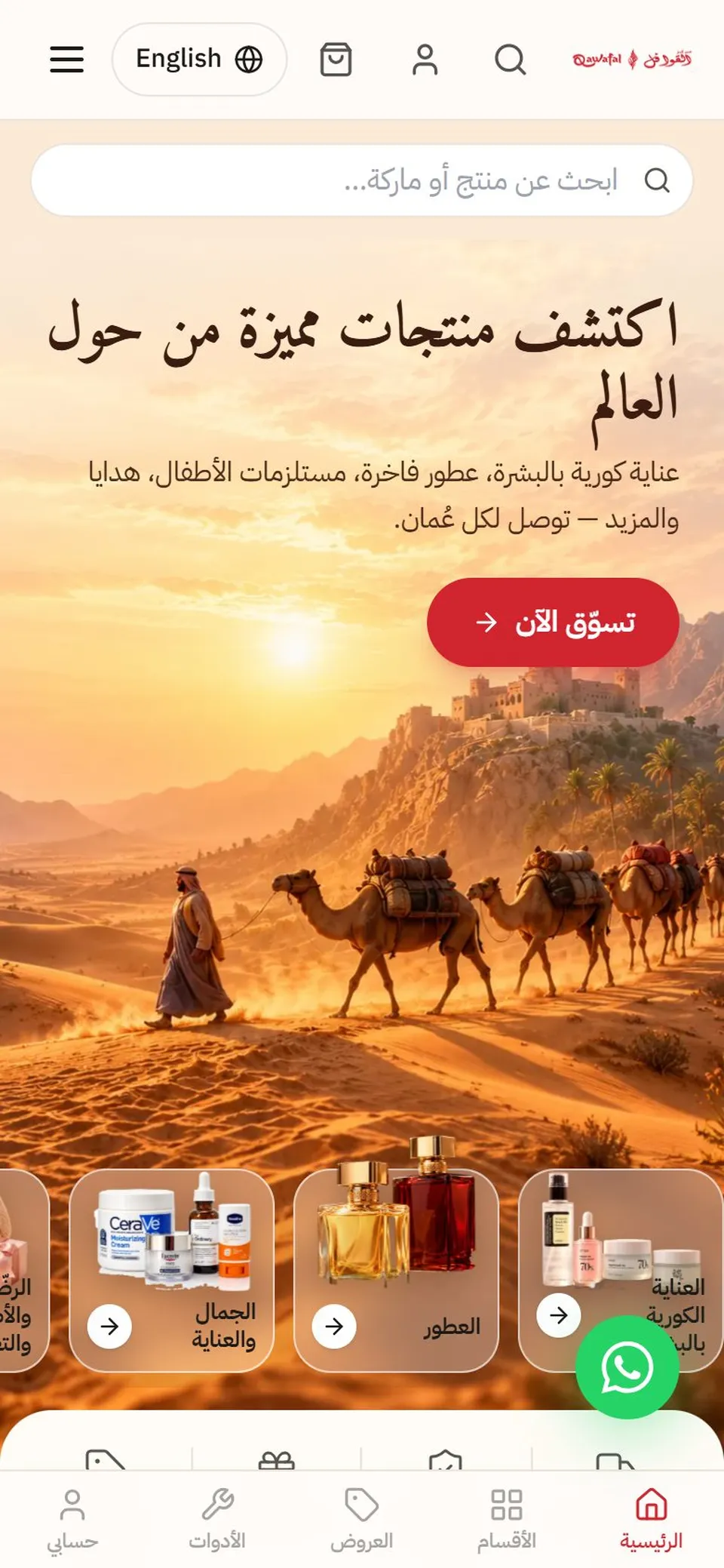
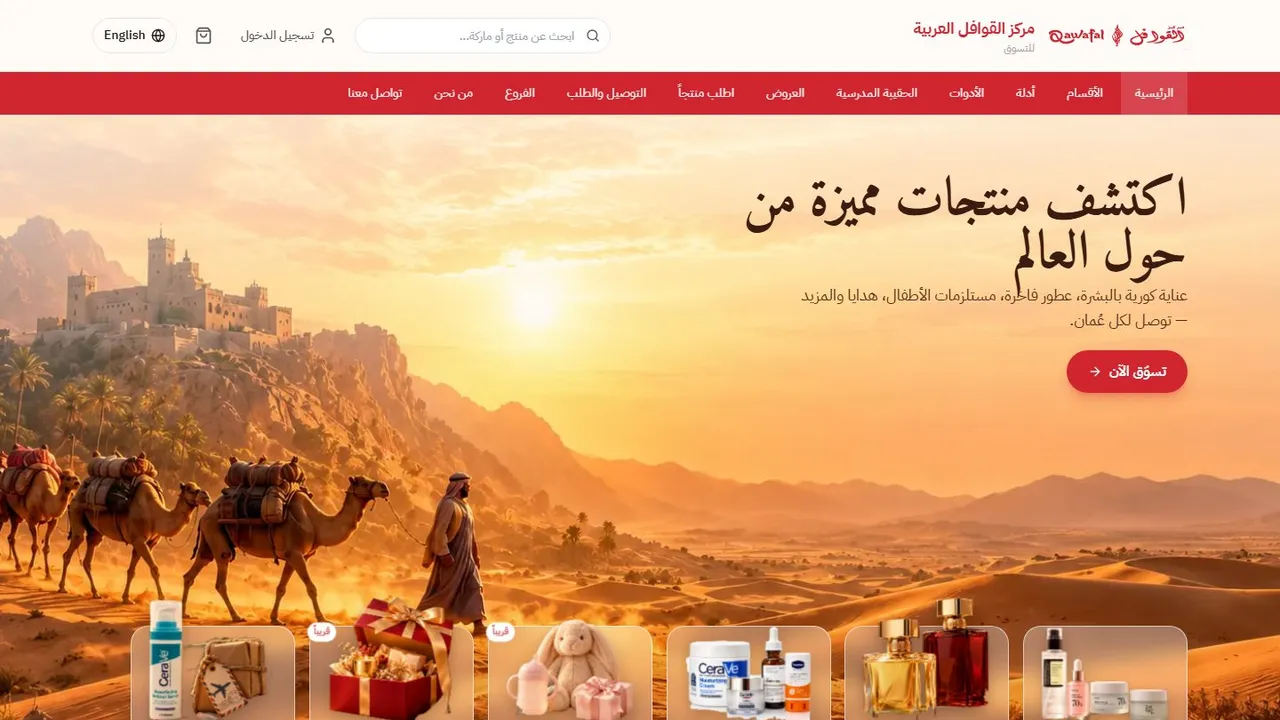
The version live today keeps the same red-and-white identity and adds what an actual shop needs: products in a real database, a cart and checkout, customer accounts, delivery rules for every wilayat, and pages Google can read in Arabic and English.
What the customer sees
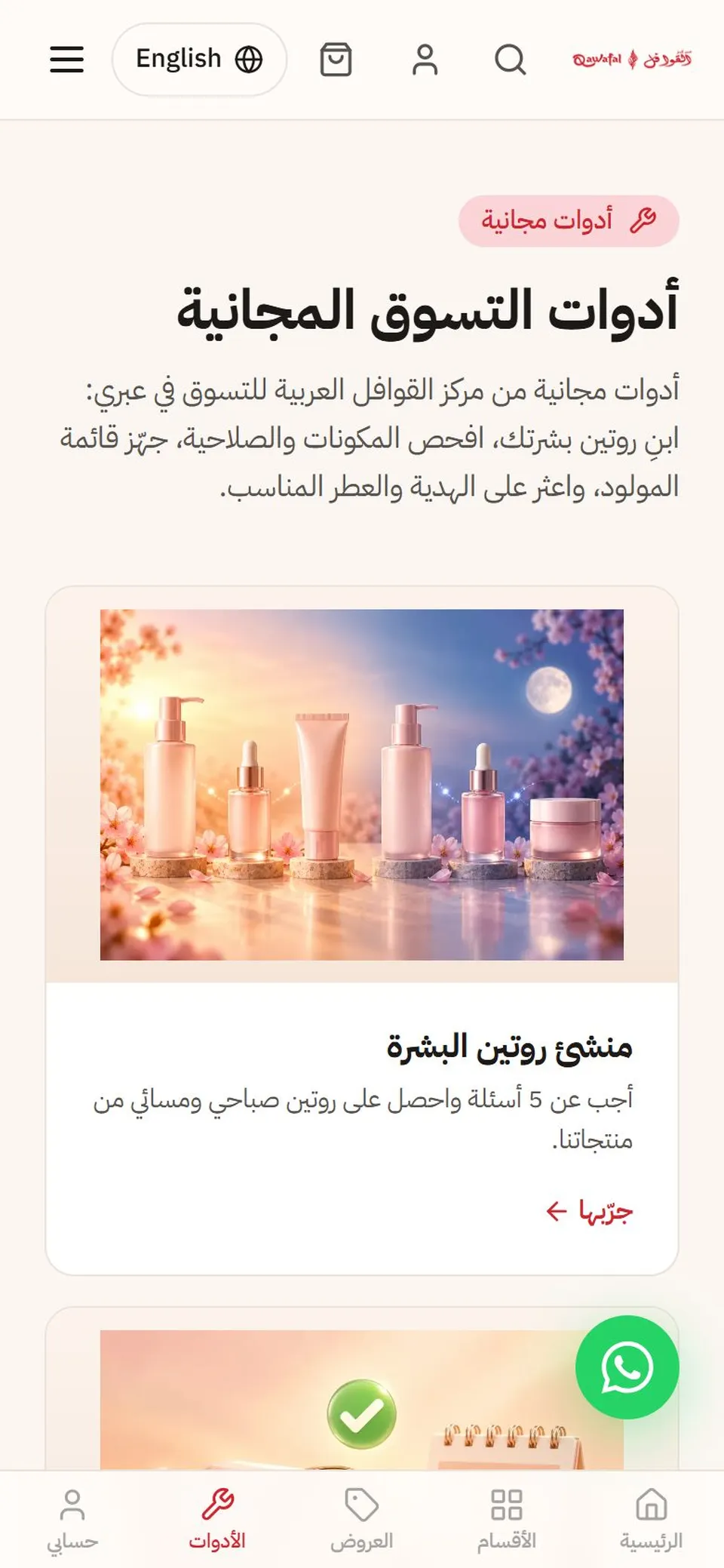
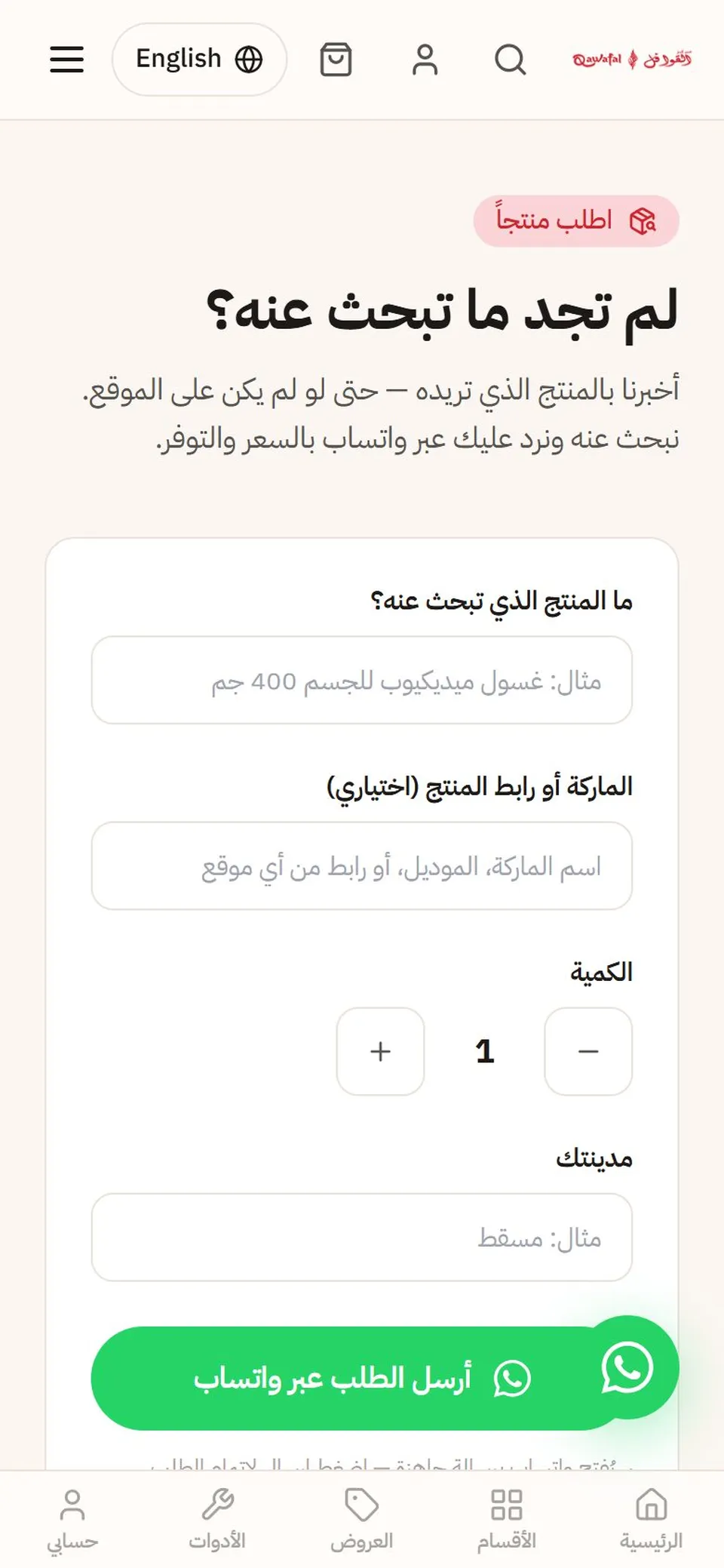
Most visitors arrive on a phone from Instagram, WhatsApp or Google, so every screen was designed for the phone first. These are untouched screenshots of the live site.
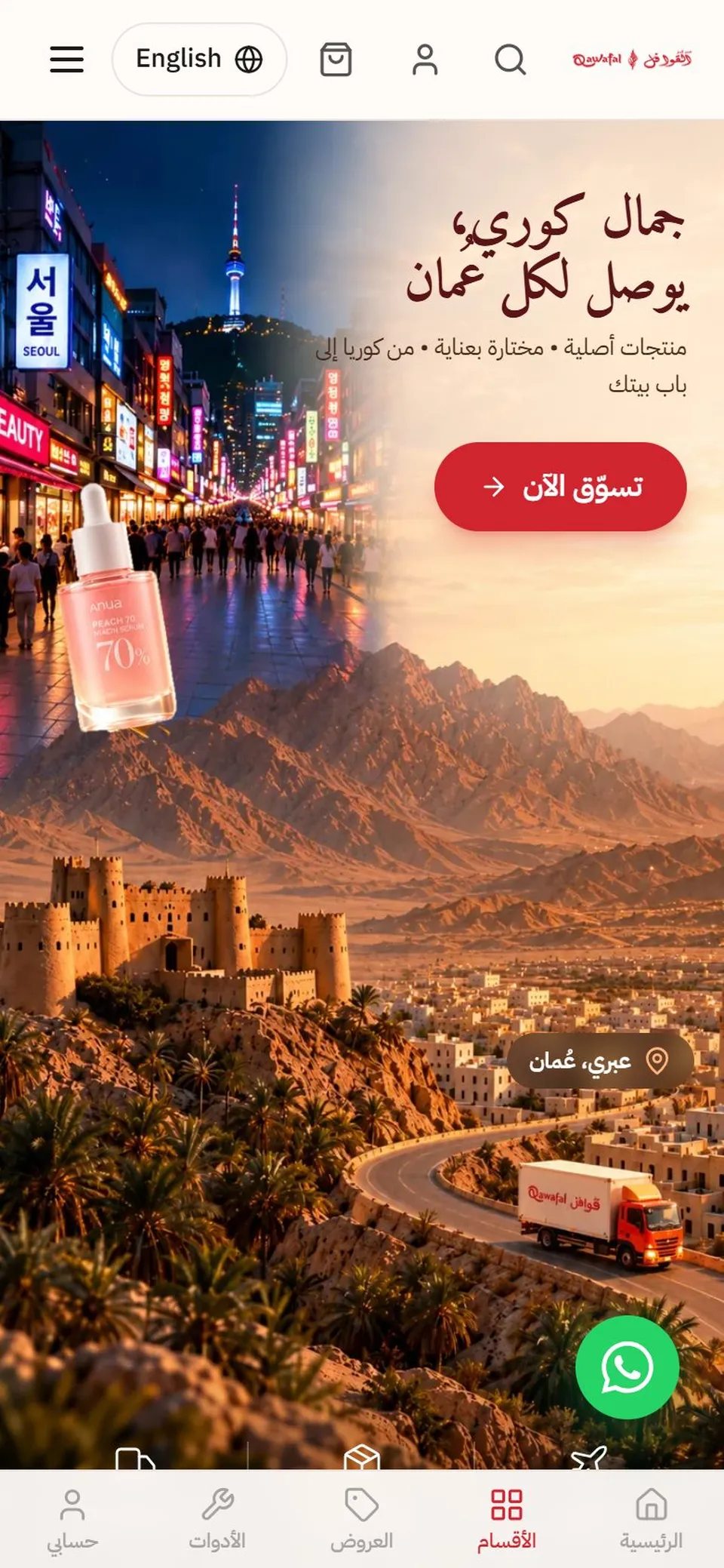
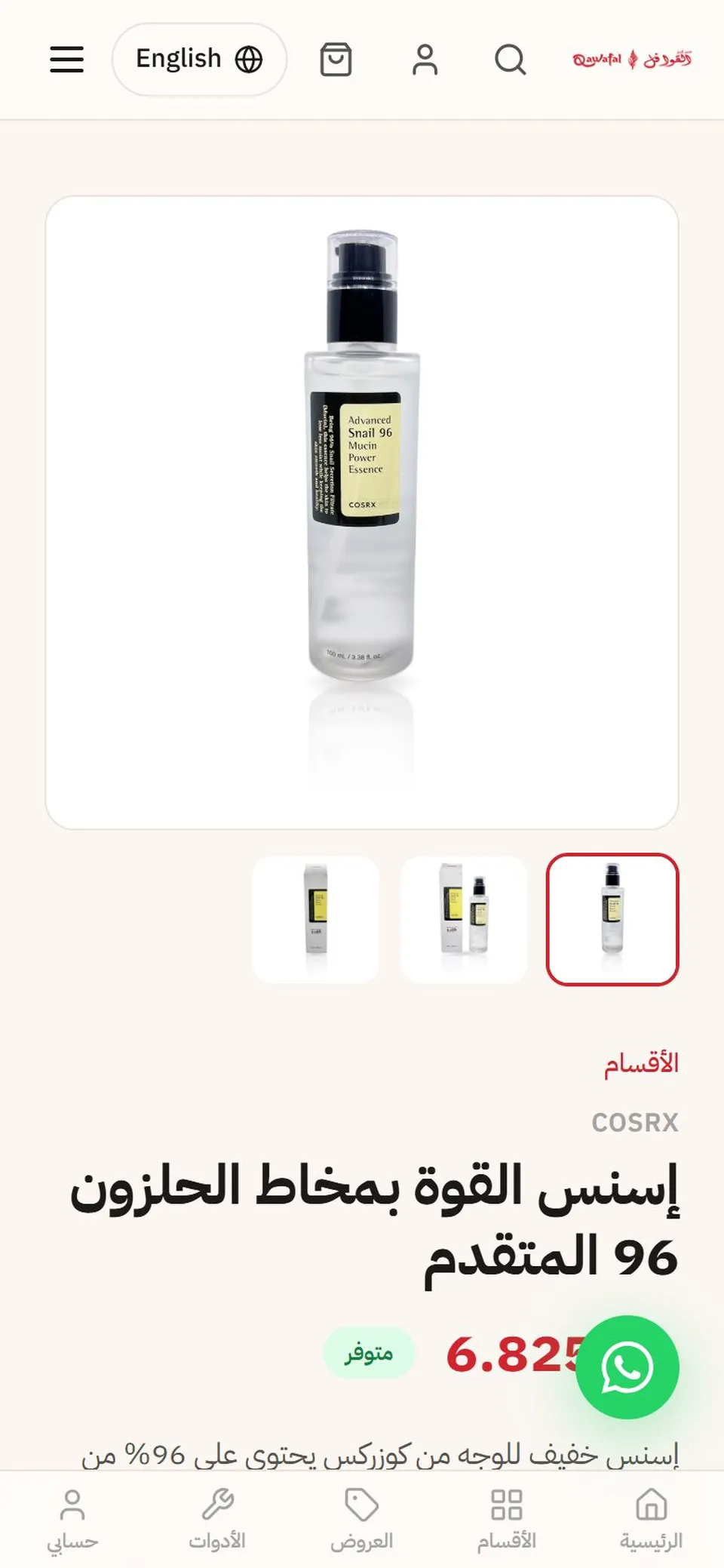
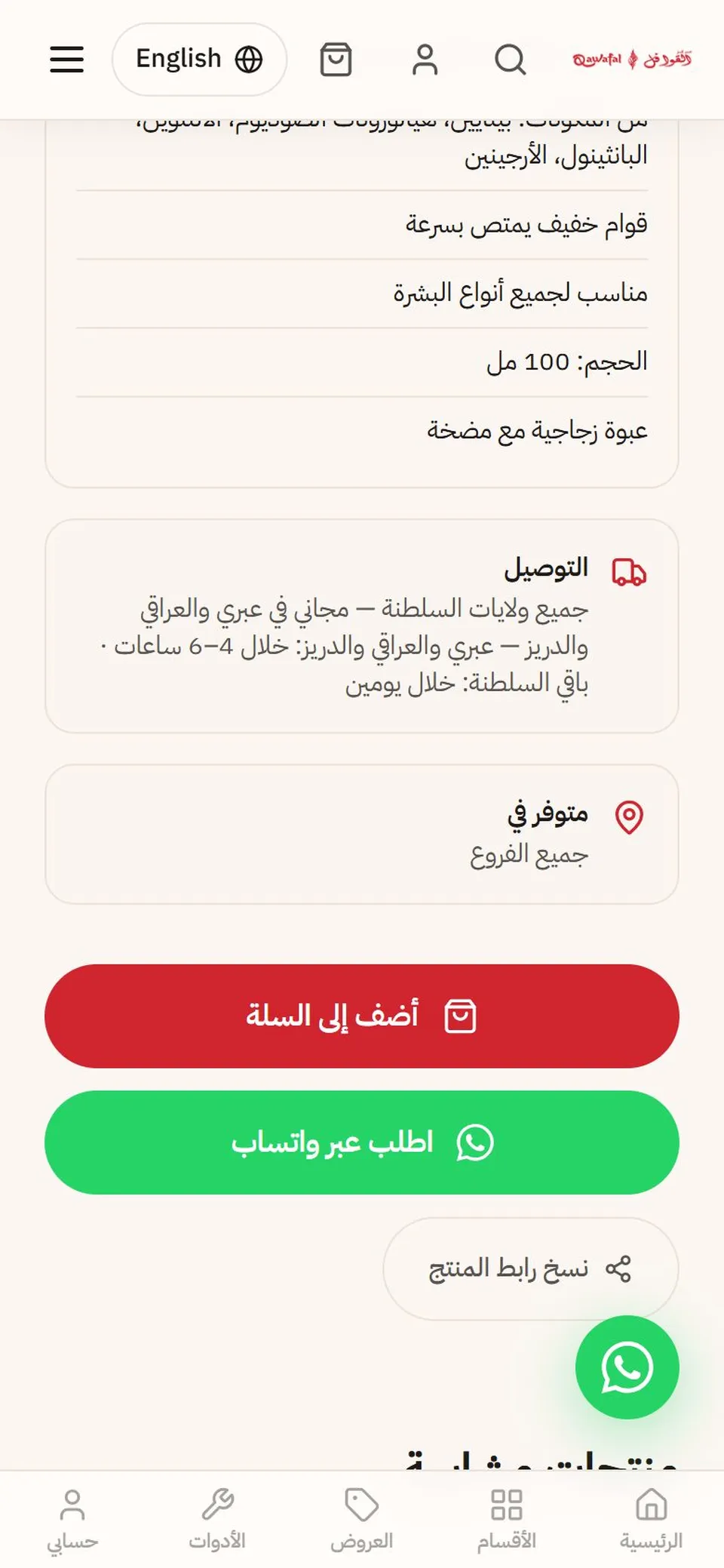
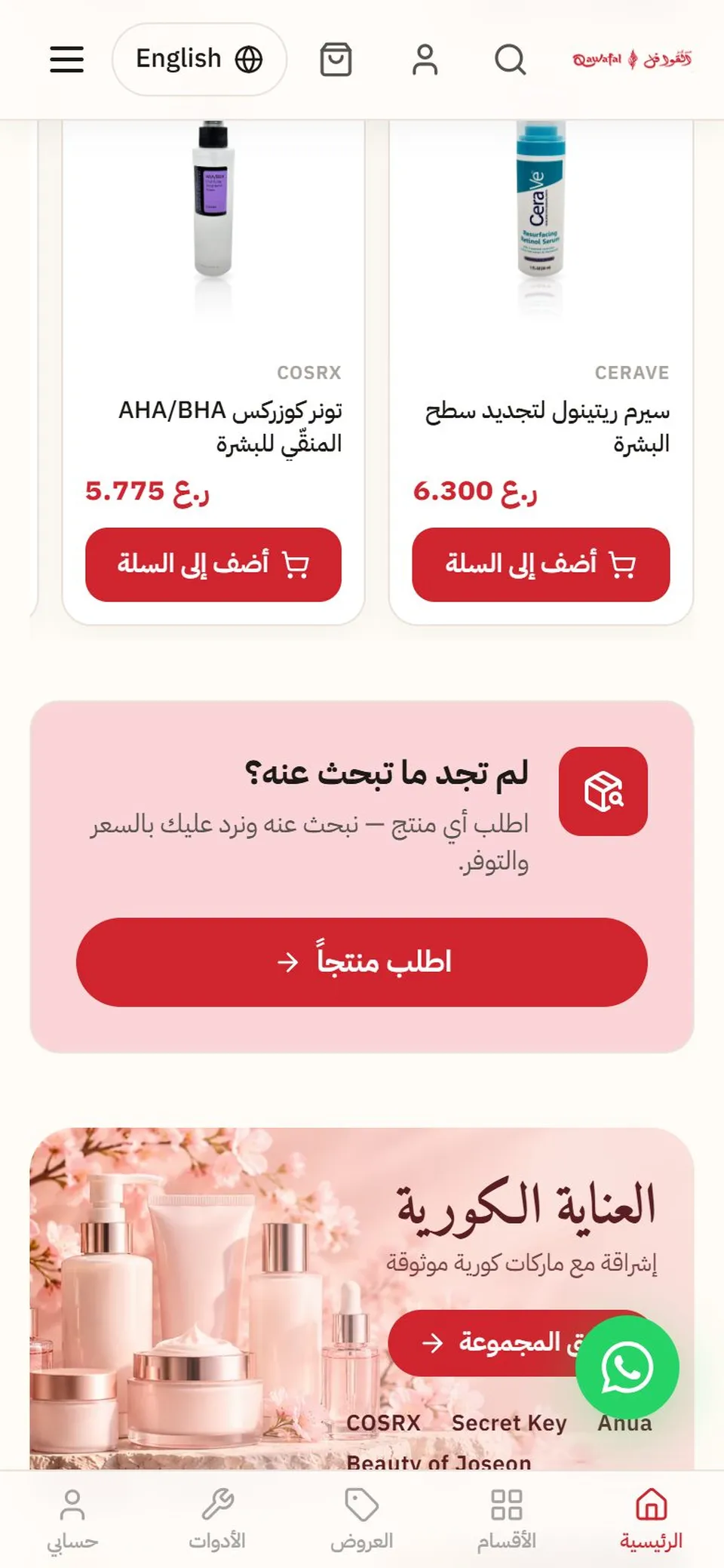
- Arabic first, English one tap away. Every page has both languages, with the right direction (RTL / LTR).
- Delivery rules on the product page. Free in Ibri, Al Araqi and Al Dariz; 4–6 hours there and about two days for the rest of Oman.
- “Request a product”. If a customer can't find something, they ask for it, and the shop replies with a price.
- Free shopping tools. A skincare routine builder, a newborn checklist and a perfume gift finder bring people back without ads.
- Cash on delivery today. Card payments with Thawani are built and switch on once the live merchant keys are issued.
The tools, and what each one does
Nothing here is exotic. Every service below has a free tier or charges only when it is used.
| Piece | Tool | Why this one |
|---|---|---|
| Building the code | Claude Code (AI coding agent) | Wrote and tested the site with us: 166 commits and 137 test files between August and October 2026 |
| The shop the customer sees | React, Tailwind CSS, Radix UI | Fast on phones, easy to keep consistent, Arabic and English from one codebase |
| Database, logins, photos | Supabase (Postgres, Auth, Storage, Edge Functions) | Products, orders, customers and staff in one place; generous free tier |
| Hosting | Cloudflare Workers (free plan), first Netlify | Same address, no monthly bill; see the next section |
| Domain | qawafal.com, DNS on Cloudflare | HTTPS and caching come with it |
| Order and password emails | Resend | Reliable email from the shop's own domain |
| Card payments | Thawani (Omani gateway) | Built in; cash on delivery works today |
| Product text | Claude (Anthropic API) | Reads the label and drafts the name, description and specs in both languages |
| Studio photos | Google Gemini 3 Pro Image (“Nano Banana Pro”) | Turns a shelf photo into a white-background pack shot |
| Background removal | ONNX Runtime Web, running on the phone | Free and private: the photo never leaves the device for this step |
| Google Shopping | Google Merchant Center feeds (Arabic + English) | Products listed on Google from the same database |
Hosting: from Netlify to Cloudflare's free plan
The new site started on Netlify, where the shop pages, the order code and the Google-friendly page titles all ran comfortably. When Netlify's free credits ran out, we moved everything to Cloudflare Workers on the free plan. Customers noticed nothing: same address, same pages, same order code.
The trick that keeps it free: pictures, scripts and styles are served as static files, which are unlimited on Cloudflare. Only real page views and order requests run code, and the free plan allows 100,000 of those a day, far above what a local shop needs. Two scheduled jobs (an hourly clean-up of unpaid orders and a daily statistics tidy-up) run as Cron Triggers on the same plan.
Limits worth knowing before you copy this: 10 ms of processing per request (waiting for the database doesn't count), and a Supabase project on the free plan pauses if nobody uses it for a while, so a quiet test site needs a visit now and then.
How the owner adds a product from one photo
This is the part that makes the site last. A website the owner can't update is out of date within a month, so adding a product had to be faster than writing a WhatsApp message.
- Take a normal phone photo of the product on the shop shelf.
- The background is removed on the phone. The product's own pixels are kept exactly; the first run downloads the model once (about 90 MB on Wi-Fi).
- Optional AI studio photo. Claude writes precise edit instructions for that product, and Gemini returns a white-studio shot. Original and result are shown side by side, and it is only used if the label, cap and colour match exactly.
- Claude drafts the listing. It reads the label, researches the product online and fills the name, description, ingredients and “suitable for” in Arabic and English.
- The owner checks it, sets the price and stock, and publishes.
For new deliveries there is a bulk add screen: drop in many photos at once, and the tool groups them product by product and drafts each one. A small connection to the shop's computer sends the price list and stock levels, so the website shows what is actually on the shelf.
What it costs to run
| Item | Cost |
|---|---|
| Hosting (Cloudflare Workers, free plan) | 0 |
| Database and logins (Supabase, free plan) | 0 at this size |
| Domain | The yearly domain fee |
| AI product text (Claude) | A few US cents per product |
| AI studio photo (Gemini) | About $0.14 (≈ 0.054 OMR) per attempt, capped at 30 a day per staff member |
| Background removal | 0, runs on the phone |
| Card payments (Thawani) | Thawani's per-transaction fee, once cards are switched on |
We put a small prepaid credit (around 5 USD) on each AI account and set low spending limits, so a mistake can never turn into a big bill.
Being found on Google
Every product page has its own title, description and structured data, in both languages, generated on the server so Google reads it without running the app. The site also publishes two Google Merchant Center feeds (Arabic and English) straight from the database, with delivery cost, the free-delivery threshold and the return rules.
One honest note: in October 2026 Oman is supported for paid Shopping ads, but not yet for Google's free product listings. The feeds are ready, so the products will appear the day Google adds Oman.
How to copy this for your own shop
- Start with the boring list: your products, prices, delivery areas and return rules. The website only shows what you decide here.
- Pick the free tiers first: Supabase for data and logins, Cloudflare for hosting, Resend for email. Upgrade only when a limit actually bites.
- Make adding a product the easiest thing on the site. If it takes more than a minute, it won't happen.
- Arabic and English from day one. Retrofitting a second language is far harder than starting with two.
- Write down the go-live steps in plain language for the owner: which key goes where, what each service costs, what to do if something pauses. Qawafal's guide runs to 750 lines, written for the shop owner, not a developer.
- Keep secrets out of the code. Payment and email keys live only in the hosting settings, never in a chat or a file.
Common questions
Can I see the live site?
Yes: qawafal.com ↗. Everything in the screenshots is the real, live shop.
Do I need to be technical to run a shop like this?
No. The owner adds products, answers requests and checks orders from the staff area on a phone. The technical setup is done once.
Can you build one for my shop?
Yes. Book a call and bring your product list; we will scope it with you. Book a call ↗